Go to main contentsGo to main menu
Friday, August 28, 2026 at 12:22 AM

Breakfast features cybersecurity

Breakfast features cybersecurity
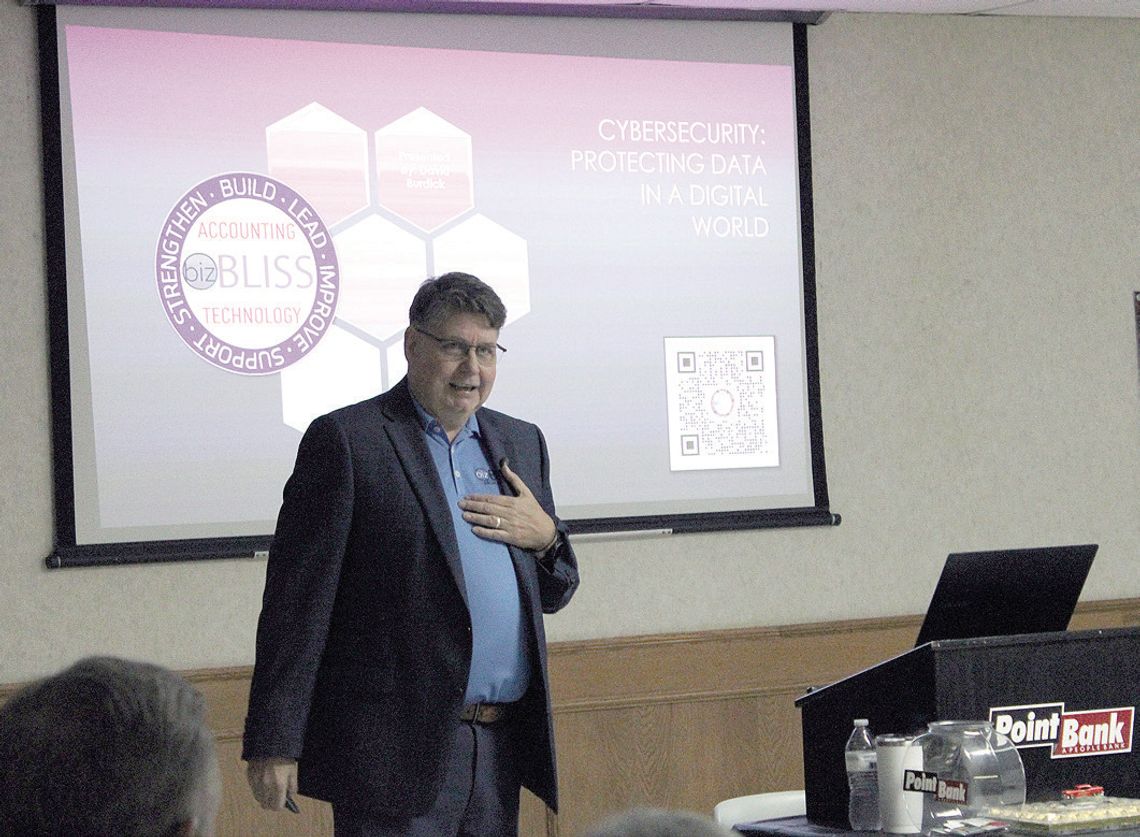
David Burdick with BizBliss shares a presentation on “Cybersecurity: Protecting Data in a Digital World” and gives tips at the Pilot Point PointBank Business Breakfast on Wednesday. Paisley McGee/The Post-Signal

Threats are everywhere; some of the most damaging ones are just a click away.

That's why David Burdick, the managing partner for business and technology at BizBliss, discussed common cybersecurity threats and the best practices to protect against them in his lesson “Cybersecurity: Protecting Data in a Digital World” at the PointBank Business Breakfast on Wednesday in Pilot Point.

“Why cybersecurity matters: Increasing digital dependence, data breaches,” Burdick said. “From a big perspective, billions [are] being lost through data breaches.”

In 1971, the first nonmalicious virus was invented, and in 1986, the first reported malicious cyber breach happened.

“Cyber criminals have been at this for quite a while now,” Burdick said. “We're in 2026, so we're talking 40 years. They've been perfecting their craft as they go.”

Burdick shared five types of cyber threats.

The first is malware, which includes viruses, worms and ransomware, commonly caused by clicking links.

Phishing is a cyberattack through text messages, calls and email, and is considered a form of social engineering.

A denial-of-service attack on websites or cloud services in a multi-point attack used to bring down the server.

Man-in-the-middle attacks involve using a public Wi-Fi network that looks like it’s from a legitimate business but instead steals your data.

Lastly, insider threats occur when an employee or someone familiar launches a cyberattack.

Best practices for business owners and individuals include installing a firewall, keeping all software updated and using a password manager to track passwords.

Multi-factor identification is another handy tool.

“It's a guarantee that if someone logs in, if someone did get your credentials, they're going to have to have code to get in,” Burdick said. “If you're going to get that text, that's one, going to alert you that somebody's trying to log in, and two, so they're not going to be able to get in without that code.”

He also recommended using a VPN to keep information encrypted when in public spaces.

“If you ever connect to a Wi-Fi or a business, make sure you don't have it on auto-connect,” Burdick said. “This is a good thing, so you know you're fully aware to the network you're in.”

Brand impersonation is also very common; for example, an email may appear to be from a wellknown company and seem legit.

But by hovering the mouse over the email address, it will reveal the real email sender.

For those who work from home, Burdick strongly recommends regularly updating the router, along with frequent cloud backups and multi-tier backups for everyone.

“You might have a good plan to recover your data,” Burdick said. “That's your best defense against ransomware. If you're having backups and you keep everything secure, you can basically say, ‘that's fine, I have a backup.’” Another rule of thumb Burdick mentioned is to think before clicking on something and create a different password for every site.

“It's all of our responsibility as businesses to make sure that we're staying safe and [on] our home computers and just stay informed, [and] … have a plan in place,” Burdick said.


Share
Rate

E-EDITION
Deadlines Changing
Pixie Set